
Dashboards fail when they only decorate data. A useful dashboard changes what a team does next: which lead to call, which project is slipping, which customer needs attention, or which process needs automation. That is why custom dashboard development has moved beyond charts and filters. In 2026, the best dashboards behave more like operational web apps: connected to live systems, secured by role, and increasingly assisted by AI.
For founders, CTOs, and operators, the question is not whether a dashboard can be built. It is whether a custom build will create better decisions than another BI license, spreadsheet, or no-code report.
What custom dashboard development means
Custom dashboard development is the process of designing and building a role-specific web interface for business data. Instead of forcing teams into a generic reporting tool, a custom dashboard connects to the systems they already use and shows the metrics, workflows, and actions that matter for their job.
That usually includes data integrations, permission rules, UI design, metric definitions, alerts, exports, and sometimes AI-assisted summaries. A sales leader may need pipeline health and deal risks. An operations manager may need fulfilment delays and workload. A founder may need revenue, churn, cash, and support signals in one view.
The difference from off-the-shelf BI is ownership and fit. Tools like Tableau, Power BI, and Looker are strong when your team mainly needs analysis. A custom dashboard makes more sense when reporting is tied to workflow, product experience, or proprietary logic. The dashboard becomes part of the software your business runs on, not a separate tab people forget to check.
That is why Andesphere usually treats dashboards as custom web app development, not as isolated reporting pages. The interface is only the visible layer. The real work sits in the data model, integrations, access control, and the decisions the dashboard helps your team make.
How custom dashboard development works
A production dashboard needs more than attractive charts. It needs a clear architecture that protects data quality and keeps the interface fast as the business grows.
A typical build has five layers:
- Data sources — CRMs, billing tools, product databases, spreadsheets, support platforms, and internal APIs.
- Ingestion and transformation — scheduled syncs, webhooks, validation rules, and metric calculations.
- Storage — a database or warehouse that keeps dashboard queries reliable and auditable.
- Application layer — a Next.js, React, or similar web app that handles permissions, views, filters, and actions.
- AI and automation layer — summaries, anomaly detection, natural language queries, and workflow triggers when they add real value.
A simple diagram would show data moving from source systems into a cleaned analytics store, then into role-based dashboard screens. AI sits beside the analytics layer, reading approved data and producing summaries or suggested actions, not replacing the source of truth.
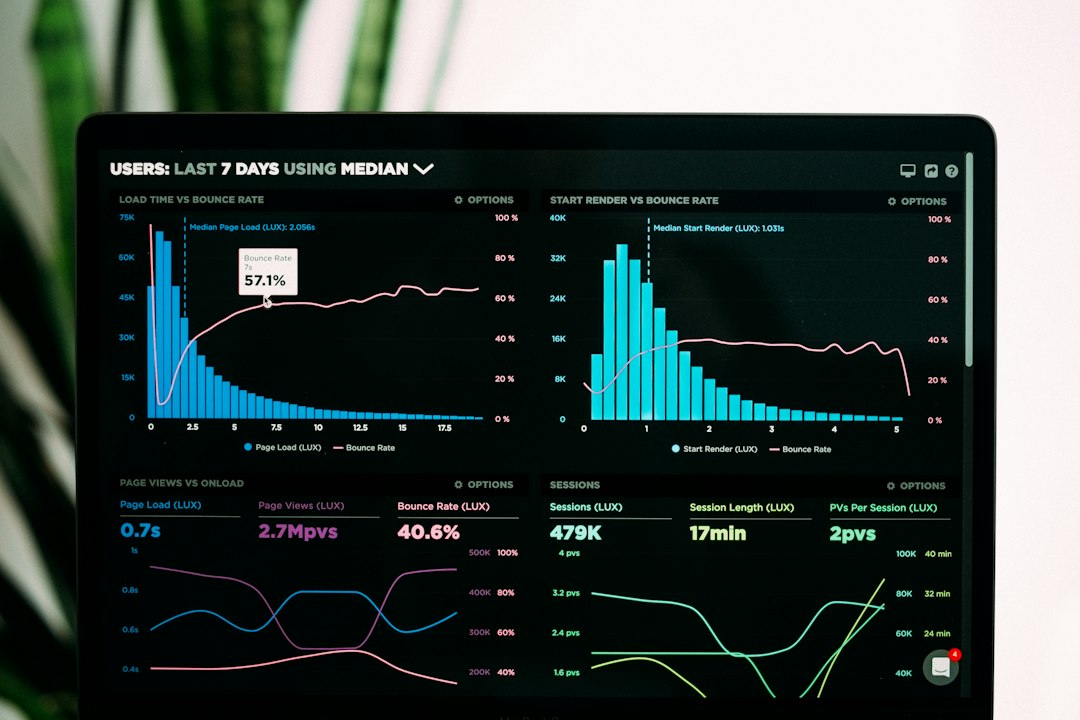
This structure matters because embedded dashboards are becoming a normal software feature. Luzmo's 2025 dashboard research found that 78% of SaaS companies embed dashboards in their products, while 41% spend more than four months building them. That gap is the warning: dashboards are valuable, but loose scope and weak architecture turn them into long-running projects.
For a fixed-scope build, Andesphere usually starts with one decision loop. For example: “Which accounts need intervention this week?” That loop defines the data sources, the views, the alert rules, and the handoff. Once that works, extra charts are easier to judge because every addition must support the decision loop.
Custom dashboard development in practice
Custom dashboards work best when they are attached to a specific operational pattern. Three patterns come up often for growing teams.
Pattern: Executive command centre
Use this when leadership needs a single view across revenue, delivery, support, and product activity. The dashboard pulls from Stripe, CRM, analytics, and support tools, then gives executives a weekly operating view.
A practical version includes revenue trend, churn risk, open delivery blockers, sales pipeline, and support volume. AI can summarise changes since last week and flag anomalies, but humans still own decisions. The build usually starts with read-only metrics before adding actions like assigning owners or creating follow-up tasks.
Pattern: Operations workflow dashboard
Use this when a process breaks because work lives across spreadsheets, email, and chat. Examples include onboarding, fulfilment, document review, quality assurance, or contractor management.
The dashboard should show queue status, SLA risk, missing inputs, and next actions. A good implementation connects the dashboard to workflow automation so the team can act without switching tools. Andesphere often pairs this with AI automation services, especially when documents, emails, or form submissions need classification before a human reviews them.
Pattern: Customer-facing analytics portal
Use this when your customers need reporting inside your product. The dashboard becomes part of the user experience, so performance, permissions, and design polish matter more than they would in an internal report.
This pattern needs tenant isolation, export controls, usage analytics, and clear metric definitions. It also needs product thinking: a customer-facing dashboard should guide the user toward better action, not flood them with every data point. If you want to see how this kind of product thinking shows up in real builds, review Andesphere's showcase.
Build vs buy: when custom makes sense
Buying a BI tool is usually the right first move when your needs are standard. If your team wants ad hoc reporting, spreadsheet replacement, or broad analyst exploration, commercial BI can be faster and cheaper.
Custom dashboard development makes more sense when at least two of these conditions are true:
- The dashboard must sit inside your product or customer portal.
- Users need to take action from the dashboard, not only read charts.
- Your metrics depend on proprietary business logic.
- You need strict role-based access or tenant-level data separation.
- Existing tools create licensing costs that grow faster than usage value.
- AI summaries, classification, or workflow triggers need direct access to your systems.
Cost should be judged over the life of the tool, not only the first build. A BI platform can be affordable at ten users and painful at two hundred. A custom build has higher upfront cost, but the code is yours and the feature roadmap is not constrained by a vendor. The right answer depends on maintenance capacity, security needs, and how central the dashboard is to the business.
For many SMEs, the safest middle path is a focused custom dashboard with a fixed scope. Build the decision-critical workflow first, keep integrations limited, and hand over clean code. That gives the business a durable asset without turning the project into a platform rewrite. Andesphere's custom software development team uses this model when dashboard work needs production engineering but not enterprise consultancy overhead.
Common custom dashboard development mistakes
We have seen dashboard projects drift for predictable reasons. The fixes are simple, but they require discipline before design work starts.
- Starting with chart ideas — Teams ask for charts before agreeing on decisions. Start with the weekly or daily action the dashboard must improve.
- Skipping metric definitions — Revenue, churn, active users, and backlog mean different things across teams. Write the calculation before building the visual.
- Underestimating permissions — A dashboard can expose sensitive commercial or customer data. Map roles, tenants, and audit needs early.
- Treating AI as decoration — AI summaries are useful only when the data is reliable and the prompt has a clear job. Do not add a chatbot before the core dashboard works.
- Ignoring maintenance ownership — Every integration can break. Decide who owns API changes, metric requests, and bug fixes after launch.
Security deserves special attention. OWASP's API Security Top 10 lists broken object-level authorisation as a major API risk, which directly applies to role-based and tenant-based dashboards. A beautiful interface is not production-ready if one customer can see another customer's data.
Market pressure also pushes teams to rush. The data visualization development service market was estimated at $2.48 billion in 2024 and projected to keep growing through 2035. Demand is real, but speed without scope control creates reporting debt.
Key takeaways
- Custom dashboard development works best when it improves a defined decision loop, not when it adds more charts.
- A strong dashboard architecture separates data sources, transformation, storage, application logic, and AI features.
- Off-the-shelf BI is better for broad analysis; custom dashboards win when workflow, ownership, and product fit matter.
- AI belongs after the data model is reliable, with narrow jobs such as summaries, anomaly detection, or next-action prompts.
- Permissions, metric definitions, and maintenance ownership should be designed before the first interface review.
- Fixed-scope delivery reduces risk because the first release proves value before the dashboard becomes a platform.
See it in action
If your team needs a dashboard that connects data, workflow, and AI without vendor lock-in, Andesphere can help scope the smallest useful release. Explore our AI and software solutions, then book a 15-minute call if you want a fixed-scope plan for your dashboard build.